
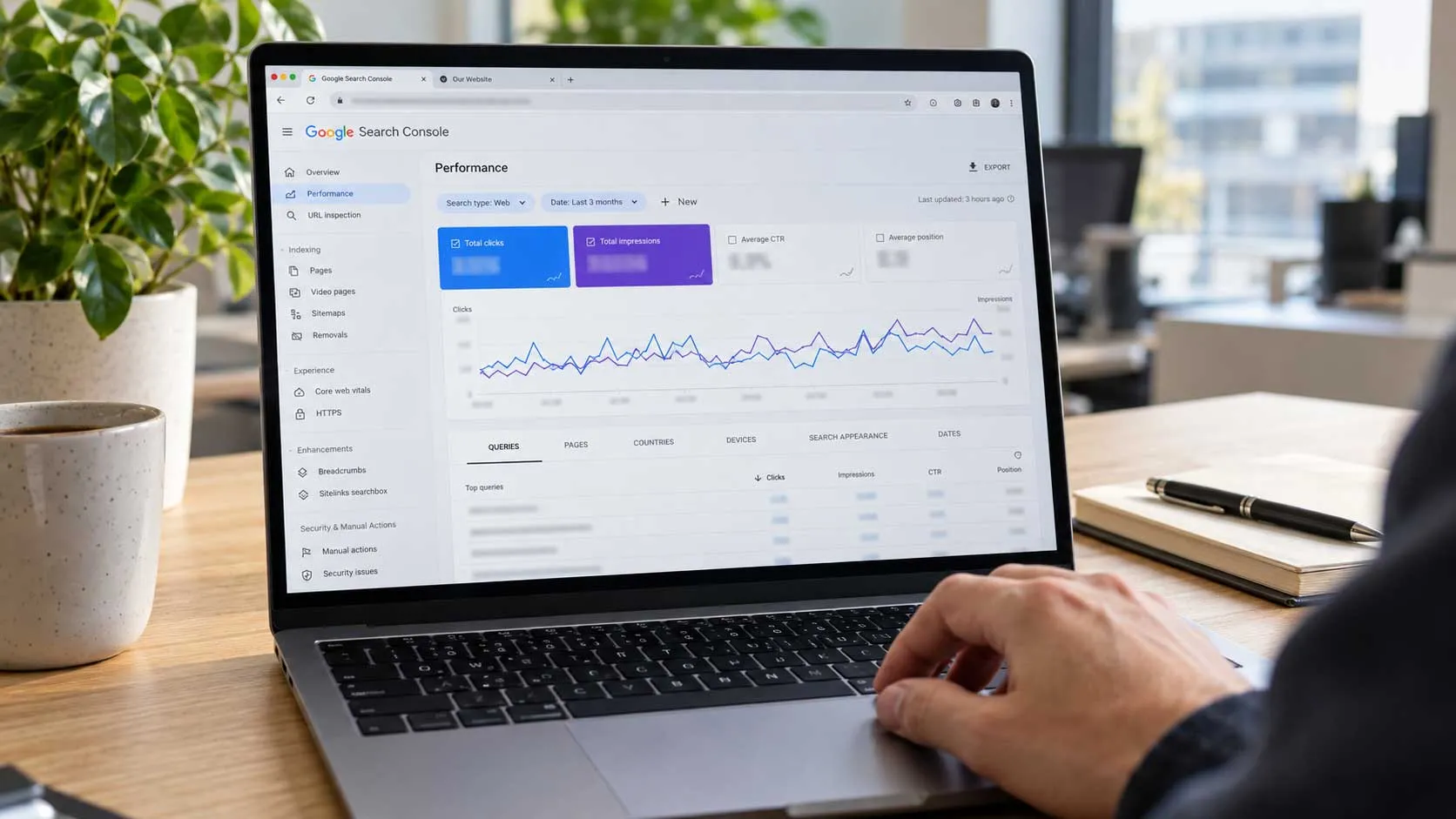
Search Console queries
Your query report shows rows that do not look like a customer searching: "what is the company name for", "does X have a blog", "number of employees at". The wording does not tell you where they came from, but what they ask is unambiguous - these are checks on company data. The value is diagnostic: they show you which questions about your firm your pages are turning up for.
In short
- The wording does not establish where these queries come from. The possible sources are AI Mode sessions, visibility tracking tools, automated checks and real people.
- What they ask maps closely onto the fields Organization schema supports: legal name, address, telephone, number of employees, founding date, VAT number.
- The work is specific: a company page carrying real data as HTML text plus one correct JSON-LD block, which is a day's work.
Table of contents
- What you see in the query report
- Where they may come from
- What our own data shows
- Why it is worth your attention
- What exactly they ask
- The company page: what it needs to hold
- Organization schema: which fields earn their place
- Profiles on other platforms
- How to check whether it is working
- Mistakes that will cost you
- A one-day plan
- Frequently asked questions
What you see in the query report
You see questions in full sentences, usually in English, usually with a domain name inside. No keyword, no location, no intent to buy. Just a request for a specific fact about a specific company.
The typical forms
- "what is the company name for example.com" - legal name.
- "does example.com have a blog" - whether a content section exists.
- "what is the industry of example.com" - sector.
- "number of employees at example.com" - company size.
- "who is the ceo of example.com" - who runs it.
- "example.com customer service phone number" - contact number.
- "how much money has example.com raised" - funding.
Alongside the checks you will also see conversation fragments: "yes", "go on", "what about", and sometimes whole instructions written to a model. Those rows are leftovers from sessions and from tools running on a schedule. There is no point analysing them as keywords.
How to recognise them
Three signs usually travel together: a high position, many impressions and no clicks. The position is high because your page genuinely is the closest result for that domain. The clicks are absent for reasons Search Console does not distinguish between.
Where they may come from
One clarification that often gets skipped: you cannot tell from the wording of a query whether a person is behind it. A person may equally search for a company's managing director or its service number. So what follows is a list of possible explanations, not a claim about origin.
| Possible source | What it looks like | Worth attention |
|---|---|---|
| Follow-up questions in AI Mode | Conversational questions, sometimes just "yes" or "ok" | Yes: shows which topics enter the conversation |
| Automated checks on company data | Structured questions with a domain name | Yes: shows which questions you turn up for |
| Visibility tracking tools | Identical queries repeating on a schedule | No: exclude them from analysis |
| A real person researching a supplier | The same shape, but irregular and in small volume | Yes: that is a potential customer |
Why one conversation produces several rows
A follow-up question asked inside AI Mode is recorded as a separate query. A seven-turn conversation therefore appears as seven rows rather than one. That explains the shape of the data, but it does not mean there is no person on the other side: in AI Mode there usually is.
Why part of the data is missing
A substantial share of impressions in Search Console carry no visible query, because Google anonymises rare searches. The real volume is larger than the sum of the visible rows. Read the trend, not the total.
What our own data shows
In our Search Console, one client project page collected 9062 impressions over three months and no clicks. In the query report, six queries about that same domain account for 9307 impressions: checks on name, existence of a blog, sector, managing director, funding and employee count.
Why the two figures do not reconcile
The queries add up to more than the page's impressions. The pages report and the queries report aggregate differently, and one query can have served more than one page. So it cannot be claimed that those six queries produced all of the page's impressions - that would need a query report filtered to the specific URL. The link here is one of subject matter, not arithmetic.
What can be established
That something checks this business regularly and that Google regularly shows our page as a close result: positions across the six queries run between 4.65 and 7.81. That shows proximity to the query. It does not show any judgment of trustworthiness - being shown and being assessed as reliable are different things.
What is missing on the page
The page is a project description: how the site was built, what it does. It carries no employee count, no founding date, no sector in plain terms. So queries for exactly those facts are surfacing a page that does not hold them. What happened next - whether an answer was composed, what it contained, where it came from - is not visible in Search Console.
Why it is worth your attention
Not because of the traffic. Because of who describes your business when nobody is asking you directly.
Three situations where it shows
- A prospect asks a model which firms in a given city do a particular kind of work. A list gets assembled. You get into it more easily when it is clear what you do and where you work.
- A supplier or partner checks the company before negotiations. Scattered data lengthens the check and creates hesitation.
- Someone compares several offers. Terms in HTML text are easier to process than terms available only in a file to download.
What is realistic to expect
Clear company data is a precondition for entering a comparison, not a reason to be chosen. The reason to be chosen is still your offer. Nor should you expect a direct rise in enquiries from this work: what it does is remove the guesswork about who you are.
When they are simply noise
When queries repeat identically every day at the same time, that is almost certainly a tracking tool. Those rows do not belong in a client report, because they inflate the numbers without adding value.
How to separate them from the report
The approach is to isolate them at the level where they distort, not to delete them. If one page collects a disproportionate share of impressions, show it on a separate line in the report with the filter documented, so it is clear what has been set aside and why. Filtering by query works less well, because a large share of these searches are anonymised and cannot be listed.
Second rule: do not mix these impressions into the site's average position. Positions between 4 and 8 across six such queries pull the whole site's average down, and then it looks as though you have improved or declined for no reason. The same applies to click-through rate: no clicks against thousands of impressions makes the overall figure meaningless.
What exactly they ask
First-level company data: who you are, where you are, how big you are, how to reach you. The same things anyone asks at a first meeting.
| Question | Where the answer belongs |
|---|---|
| Legal name | Company page and the site footer |
| What the business does | Home page, in the first screen |
| Where it is and where it operates | Contacts and company page |
| Number of employees | Company page, as text |
| Founding year | Company page |
| Who runs it | Company or team page |
| Telephone and email | Contacts and the site footer |
| Company registration and VAT number | Contacts or terms |
How to check
Open your home page, your contacts page and your company page and read them as text only, without the images. If any question in the table has no answer, that is a gap. While you are there, check that your article index is reachable from the menu and crawlable - that is a matter of ordinary navigation, whoever is asking.
The company page: what it needs to hold
This page stops being a place for nice words and becomes the page that holds the company data. On most sites it is the most neglected one.
The content, point by point
- Legal and trading name, if they differ.
- Founding year.
- What the company does, in one sentence without decoration.
- Registered office and the cities or regions it operates in.
- Number of employees, exact or as a range.
- Who runs it, if that is not a problem for you.
- Company registration and VAT number.
- Telephone, email and opening hours.
- Links to the company's official profiles.
All of it as text
The data belongs in HTML text. Modern systems can read images, but text is more accessible, more reliable and easier to update. A phone number only in a graphic and an address only inside the map work against you for no reason. If you have an infographic of the company's history, add the same information as text.
What not to write
Do not state an employee count that is not true and do not invent a founding year. These get checked against public registers, and a discrepancy does more harm than an omission. If you do not want an exact figure, give a range.
Organization schema: which fields earn their place
Organization schema is a JSON-LD block describing the company in machine-readable form. Google recommends placing it on the home page or on a single page that describes the organisation, and notes that it does not need to be on every page of the site. That is guidance about where it is most useful, not a prohibition.
The fields that cover the questions
| Field | What it describes |
|---|---|
| name, legalName, alternateName | Trading, legal and other known name |
| address | Full address with city, postcode and country |
| telephone, email | Primary telephone and email |
| numberOfEmployees | Employee count, exact or as a range |
| foundingDate | Founding year |
| vatID, taxID | VAT and tax number |
| logo | Logo, minimum 112 by 112 pixels |
| sameAs | Addresses of the official profiles |
The full list is in Google's documentation on Organization structured data.
What it does and does not do
Some of the fields work invisibly, to identify the company unambiguously. Others can influence visible elements: Google names the logo shown in Search results and in the knowledge panel. So this is not purely "for the machines". But Organization schema is not a ranking factor and will not lift a page that is not ranking otherwise.
The rule that does not get broken
JSON-LD mirrors the visible content one to one. If the markup says 25 employees, the page must say 25 as well. Data that exists only in the code is a violation. More on where structured data helps and where it does not is in the article on using schema markup for better SEO.
Profiles on other platforms
The sameAs field exists because data gets cross-checked across sources. When your site points to the profiles and the profiles point back to the site, the data confirms itself.
Which profiles matter
- The business profile in Google, with current address, telephone and hours.
- The profile on the leading professional network, with a current employee count.
- The commercial register, where the data is official.
- Industry directories the company is already listed in.
- Social profiles that are genuinely maintained.
What gets checked in them
Consistency. A different address in the profile and on the site signals that at least one of them is out of date. The most common case is a moved office, updated on the site and forgotten in the profiles. Do not list profiles you do not maintain: an abandoned account whose last post is from 2022 adds no credibility.
How to check whether it is working
Two ways, because one shows presence and the other shows consistency.
In Search Console
- Filter queries by your domain name and see which checks appear.
- Look at which pages collect those impressions. If they are not the home page and the company page, the data is not where it should be.
- Run the company page through the Rich Results Test to see errors in the Organization markup. Search Console has no separate report for this type, so the test is the place to check it.
By asking directly
Ask a model what your company does, where it is and how big it is. Do it in two different tools. If the answer is incomplete or wrong, you know what is missing. Repeat after a month, once the changes have been crawled.
What this work does not promise
It does not promise a rise in impressions from AI features. There is no established causal link between Organization markup and the share of such impressions, so do not set it as a target in a report. The goal here is different: to make the answers about your company accurate. The broader question of visibility in AI-generated answers is covered in the article on optimising for AI Overviews.
Mistakes that will cost you
Text written for models
Do not add hidden text, instructions to models, or blocks telling a system what to think about you. That is spam and carries the risk of a penalty. The reverse works: accurate text for people, in a structure a machine can read.
Data only in the schema
A block with twenty fields, none of which appears on the page, is the opposite of clarity. Write the data on the page first, then describe it in markup.
A copied block
JSON-LD lifted from another site with the names changed usually carries fields that do not match your company. We have seen blocks with somebody else's geographic coordinates and with price ranges that do not exist.
Counting these impressions as success
A thousand impressions from such queries are not a thousand prospects. Put into a report without explanation, they create an expectation next month will not meet. Separate them out.
Relying on this alone
Clear company data does not substitute for content and does not fix a site that ranks for nothing. If the main problem is elsewhere, the order of checks is in the article on why a website is not ranking in Google. And if the question is what work sits behind organic ranking at all, the scope is set out on the SEO optimization page.
A one-day plan
This is one of the few SEO tasks that closes within a single working day and then needs no maintenance for months, provided the company data is to hand.
Step 1: take stock
Go through the queries in Search Console for your domain name. Record which checks appear and at what volume. Open the pages collecting those impressions.
Step 2: the text
Fill out the company page with the nine points above - verified data, as text, without decoration. If no such page exists, create it and put it in the menu.
Step 3: the markup
Add one Organization block on the home page or the company page. Fill in only the fields you have confirmed data for. Validate it with the Rich Results Test.
Step 4: the profiles
Check the address, telephone and hours across every profile you maintain, and add their links to sameAs.
If you would rather someone else did it, get in touch and we will start from an inventory of your own queries.
Frequently asked questions
Do these queries harm my site?
No. They are not a problem in themselves and they do not affect ranking. They are useful diagnostically: they show what is being asked about your business and whether the answer exists on your side. The practical step is not to delete them but to report them separately, so the impressions and the site's average position stay readable.
Will Organization schema bring me more customers?
Not directly and not as a rule. It is not a ranking factor. It can influence visible elements such as the logo in results and in the knowledge panel, and it removes the guesswork about who you are and what you do. That helps you appear in the comparisons assembled for your sector. Whether you get chosen depends on your offer.
How do I tell whether there are people behind these queries?
From the wording alone you cannot. Indirect signs help: queries repeating identically and on a schedule are almost certainly from a tool, while irregular one-off checks may well be a person researching a supplier. In practice the difference does not change what you need to do, because both cases call for the same thing: accurate company data as text.
 Back
Back


